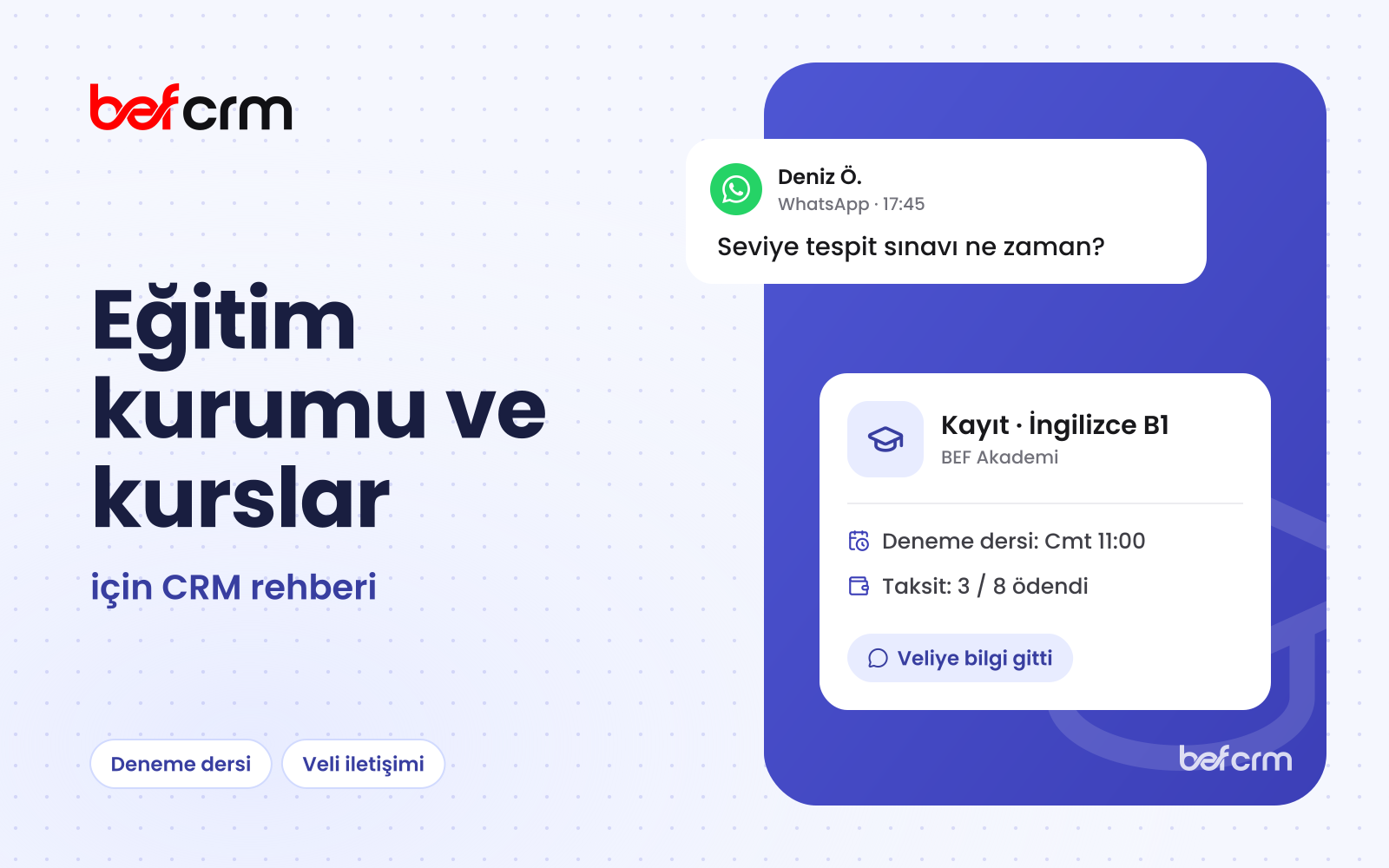
CRM guide for schools and courses: from trial lesson to enrollment with installments
During enrollment season, the same questions come in hundreds of times: fees, schedules, availability. We explain the stages and rules for taking a prospective student from trial lesson to enrollment, and from enrollment to term tracking.
By BEF CRM Ekibi Updated

Contents 9 sections
During enrollment periods, schools receive the same questions hundreds of times: How much is it? What times are the classes? Are there spots left? At that volume, every unanswered message could be a prospective student going to another school. After enrollment, the work turns to parent communication, installment tracking and absence notifications.
In this guide, we set up a simple structure in BEF CRM for language courses, tutoring centers, driving schools and similar institutions. A summary of the preset settings is on the Schools and courses page.
First replies during enrollment season
Prepare quick messages for frequent questions: fees, class times, address, IBAN and the trial lesson link. Quick messages sit as buttons next to the text box and go out with a tap; saved replies are called up with “/” and can be edited before sending. Outside working hours, the AI assistant gives the first reply using the programs, fees and enrollment terms in your knowledge base.

Stages and naming
With the industry settings, the board comes with three stages; leads appear as “Prospective students”, customers as “Parents / students” and sales as “Enrollments”.
| Stage | When does a record move here? | Work at this stage |
|---|---|---|
| Info provided | Program, fees and schedule shared | Suggest a day for a trial lesson or placement test |
| Trial lesson / placement test | Date set, or the prospect attended the lesson or test | Share the result with the parent and suggest a suitable class |
| Enrolled | Enrollment entered, installment plan set up | Add the student to the term and class |
Three stages may seem few, but at enrollment-season volume, a simple board is easier to manage. If you take pre-registrations and deposits, you can add a stage such as “Pre-registration” in Settings.

Close reasons and follow-up
The preset close reasons are: Found the price too high, Class times didn’t work, Location too far, No need right now, Chose another institution.
- Found the price too high: a task is created for the rep in the next campaign period; the early enrollment period is a good time for this.
- Class times didn’t work: a task is created 30 days later; follow up with the schedule of the new term or new group.
- No need right now: add your own rule based on when the next term starts.
Enrollment with installments and collections
Kayıt girildiğinde taksit planı kurulur: vadeden önce hatırlatma, vade günü ödeme bağlantısı gider; taksit gecikirse veliye mesaj gider ve temsilciye görev açılır. Ön kayıt için kapora ödeme bağlantısıyla alınabilir; havale ile ödeyen velinin yüklediği dekontu onaylarsınız.

Classes, attendance and parent communication
Eğitim ve kurs modülünde öğrenci ve veli, dönem, şube ve sınıf tanımlanır. Grup derslerinde kontenjan ve bekleme listesi tutulur, yoklama QR ile alınır. Devamsızlıkta veliye bildirim gider; sınav sonuçları ve gelişim raporu hazırlanır. Önerilen modüller: Eğitim ve kurs, Grup dersleri, kapasite ve yoklama. Ayrıntılar: sektör modülleri.

Students who are minors
If your students are minors, handle communication, payment details and consents through the parent, and get commercial message consent from the parent as well. We recommend getting a lawyer’s opinion on processing children’s data. This note is not legal advice.
AI assistant
The assistant can share written information such as program content, fees, address and enrollment terms. Assessments of a student’s level, scholarship or discount requests and parent complaints should be handed over to a staff member. The assistant doesn’t offer discounts; if online booking is connected, it offers only real free slots in the calendar for trial lessons.
Campaigns and consent
At the end of the term, a campaign for the new term is sent; on the campaigns screen, you select the audience with conditions, and the system skips people without commercial message consent. You can schedule the send close to the enrollment period and track in the campaign details how many people replied and enrolled.
What to check in the weekly report
- Messages awaiting a reply, especially how long first replies are delayed during enrollment season.
- How many trial lesson attendees went on to enroll.
- Overdue installments and the collection tasks created.
- Absence notifications and class occupancy.
First-week checklist
-
Connect your channels
Connect WhatsApp and Instagram; see enrollment-season messages gathered in a single inbox.
-
Enter programs and fees
Define courses, terms, branches and fees; settle your installment options.
-
Prepare quick messages
Create quick messages for fees, class times, address, IBAN and the trial lesson link.
-
Open the trial lesson calendar
Set up the online booking page for trial lessons and placement tests and share its link.
-
Review the rules
Adapt follow-up times by close reason to your term calendar.
How do I link a parent with a student record?
Eğitim modülünde öğrenci ve veli birlikte tanımlanır; devamsızlık bildirimleri ve ödeme bilgileri veliye gider.
What happens when a class is full?
In the group classes module, a student who wants to join a full class is put on the waiting list; when a spot opens, you move down the list.
How do I follow up with a prospect who missed the trial lesson?
For a prospect marked as a no-show on the calendar, create a task to suggest a new day, or close the record with a suitable reason. Rules tied to the close reason open future-dated follow-ups automatically.