CRM guide for aesthetics and dermatology clinics: from photo to checkup appointment
At an aesthetics clinic, the decision isn’t made in a single conversation: photo, pre-assessment, consultation, procedure and months of follow-up. We explain how to tie each step to stages and protect health data.
By BEF CRM Ekibi Updated

Contents 7 sections
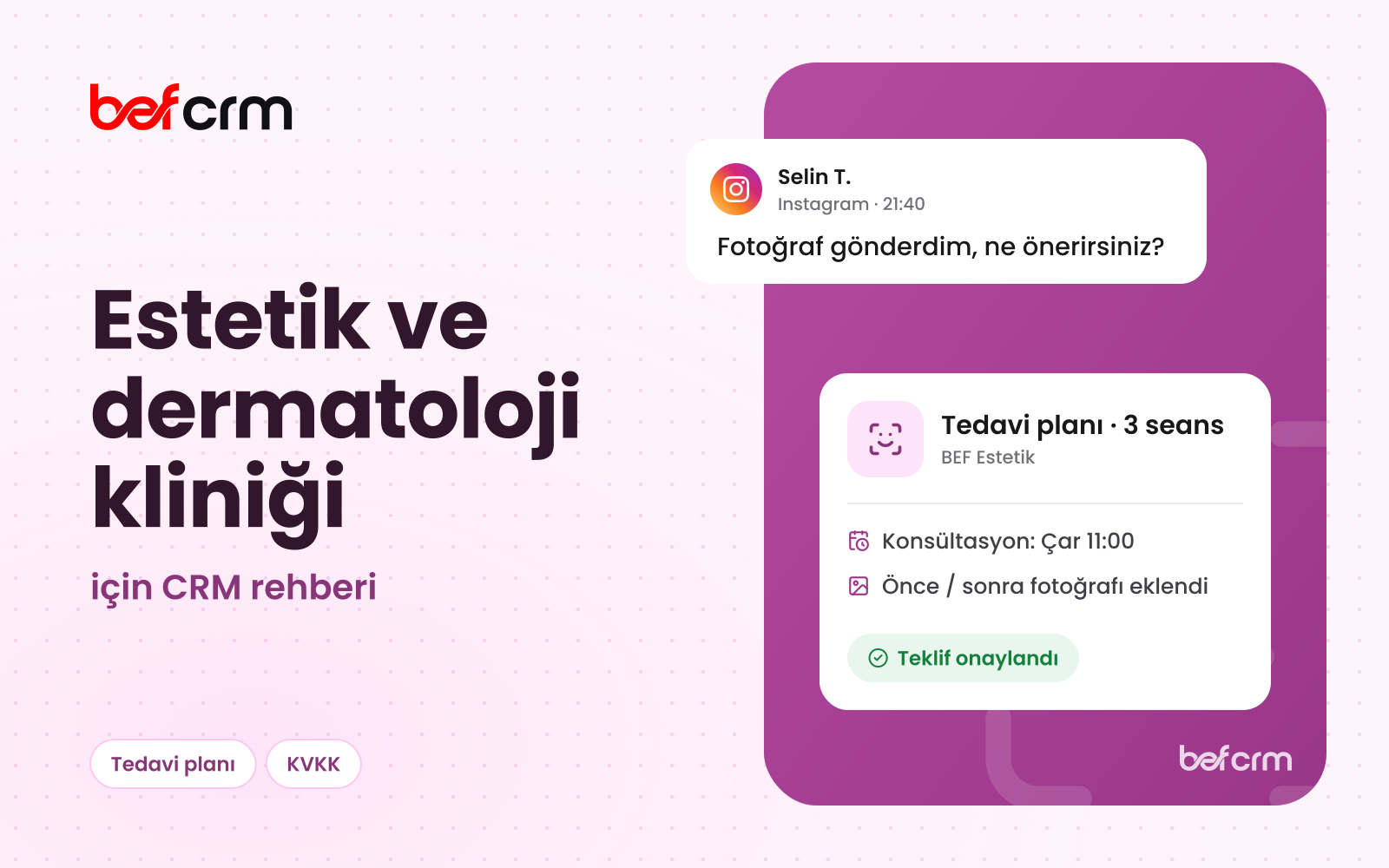
At aesthetics and dermatology clinics, a sale doesn’t close in a single conversation. A prospective client first sends a photo on Instagram, the doctor makes a pre-assessment, a consultation appointment is booked, the quote and consent form are signed, the procedure is performed and then months of follow-up begin. When one of these steps is forgotten, the client either goes to another clinic or feels left alone after the procedure.
In this guide, we explain how to tie each step to a stage in BEF CRM, how to get back to a client who says “I’ll think about it” and how to protect health data. A summary of the preset settings is on the Aesthetics, polyclinics and dermatology page.
Health data and KVKK: not legal advice
The photos a client sends, their complaint and procedure details are health data; under KVKK, they’re subject to stricter rules as special categories of personal data. Determine with a lawyer which data you’ll process on which legal grounds, your privacy notice and your retention periods. In BEF CRM, fields containing health information are stored encrypted, only authorized staff can see them and every access is logged; without explicit consent, no clinical record is created. This note is general information. For details, see our post on storing customer messages under KVKK.
The client’s journey and stages
With the industry settings, the board comes with five stages; leads appear as “Prospective clients”, customers as “Clients” and sales as “Procedures”.
| Stage | When does a record move here? | What to watch for |
|---|---|---|
| Info provided | General information about the treatment they’re interested in was given | The process and price range are clear; no promise of a personal assessment |
| Pre-assessment (photo) | The client sent a photo, and the doctor reviewed it | If they’re not a suitable candidate, the decision is the doctor’s; record the reason |
| Consultation appointment | Consultation day and time set | Intake questions and a reminder with buttons |
| Procedure scheduled | The quote was accepted and the consent form signed | Payment or installment plan, pre-procedure instructions |
| Procedure done | The procedure was performed and the sale entered | The checkup steps in the treatment plan begin |

The photo usually comes with the first message. If the person replying to the photo isn’t a doctor, they shouldn’t appear to be making an assessment; saying “We’re passing your photo on to our doctor” is enough. The booking form comes with five preset questions (such as “Which treatment are you interested in?”). For stages and follow-up times, see the leads section.

Getting back to a client who says “I’ll think about it”
The preset close reasons are: Found the price too high, Not a suitable candidate (doctor’s decision), Got scared / postponed, Asked for an installment option, Chose another clinic. The preset rules create a task for the rep in the next campaign period for “Found the price too high” and 21 days later for “Got scared / postponed”.
- Got scared / postponed: when you follow up after 21 days, inform rather than sell: the procedure process, the recovery period and the option to talk to the doctor again.
- Asked for an installment option: add your own rule to follow up with an installment plan a few days later; installments and due-date reminders are set up on the sales and collections screen.
- Not a suitable candidate (doctor’s decision): don’t create a follow-up task; write the reason for the decision in the note.
If conversation scores are on, whether objections stem from price, trust or timing is also reflected in loss analysis. This breakdown shows what needs to be explained better during the consultation.
Post-procedure follow-up plan
Tedavi planı şablonu işlem gününden itibaren 1., 3., 7. ve 30. gün gibi adımlar oluşturur; her adım görev, mesaj ya da form üretir. Belirli günlerde fotoğraf kaydedilir ve önce / sonra fotoğrafları yan yana karşılaştırılır. Triyaj formunda danışan bir şikâyet bildirdiğinde sorumluya anında bildirim gider. Rötuş zamanı için periyodik hatırlatma kurabilirsiniz.

Teklif ve onam formu teklif ve e-imza akışıyla bağlantı üzerinden gönderilir; onam formu ekranda ya da bağlantıyla imzalanır ve PDF olarak saklanır. Önerilen modüller: Randevu ve seans, Tedavi / takip / program planı, Fotoğraf seansları ve önce / sonra, Belirti / şikayet triyajı, Onam ve sağlık formları, Periyodik hatırlatma.

The AI assistant’s limits
The assistant can answer messages that arrive outside working hours with the general information in your knowledge base: what the treatments are, the price list, the address and how to book a consultation. Assessing photos, deciding suitability or giving personal medical comments isn’t the assistant’s job. Write this explicitly in the knowledge base, and make sure conversations with words like “pain”, “redness” or “swelling” are handed straight to a staff member. The assistant doesn’t offer discounts or make price commitments; for setup, see the AI section.
Campaigns and consent
Campaign messages go only to people with commercial message consent; people without consent are skipped automatically on the campaigns screen. Advertising of healthcare services is also subject to professional and administrative regulations; check these rules before using promises of results or before / after photos in campaign texts.
What to check in the weekly report
- Photos waiting in the pre-assessment stage: did they reach the doctor, and when did you get back to the client?
- Clients who came for a consultation but had no procedure scheduled, and their close reasons.
- Overdue checkup steps in treatment plans and triage notifications.
- How records from ads convert into procedures: the platform’s reported results side by side with real records on the ad performance screen.
First-week checklist
- Connect your Instagram and WhatsApp accounts; see messages with photos land in the inbox.
- Separate roles for doctors, consultants and the front desk; make sure only authorized people see health fields.
- Review your consent form texts with your lawyer and try the on-screen signing flow.
- Prepare a treatment plan template with checkup days for the procedure you perform most often.
- Write general information into the assistant’s knowledge base, add handover words and try it in the test chat.
- Review close reasons and follow-up times against the way you work.
Where should I store client photos?
Fotoğrafları çalışanların telefon galerilerinde değil, danışanın kaydında saklayın. Önce / sonra modülünde fotoğraflar kayda bağlı tutulur; kontrol günlerinde fotoğraf eklenir. Sosyal medyada paylaşmak için ayrıca açık izin alın.
Can the assistant look at a photo and comment on it?
We don’t recommend it. The suitability decision belongs to the doctor. Limit the assistant to general information, the price list and booking details, and hand conversations containing photos or complaints over to a staff member.
How do I make sure I don’t miss post-procedure complaints?
With the triage form, the owner is notified instantly when a client reports a complaint. The checkup steps in the treatment plan also open as tasks and messages when their turn comes.