CRM guide for spas and massage centers: empty slots, package sessions and therapist bonuses
At a spa, most revenue comes from package sales and returning guests. We explain the stages, rules, and room and therapist calendar for tracking a guest from the first message to a package renewal.
By BEF CRM Ekibi Updated

Contents 7 sections
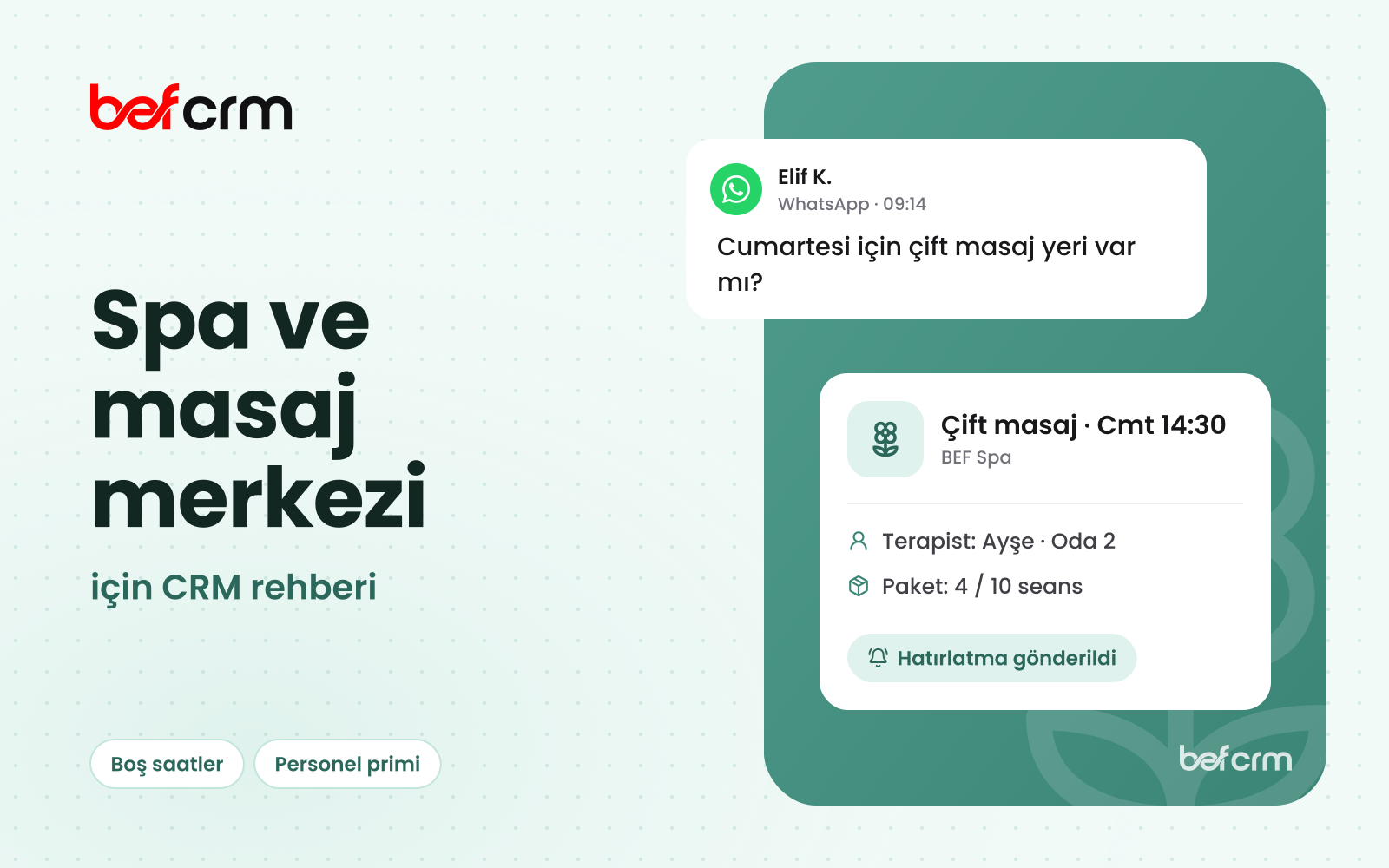
At spas and massage centers, every empty hour is revenue that never comes back. A guest asks about massage prices on WhatsApp, buys a package a week later, uses half of it and disappears. Tracking which session of the package they’re on, when renewal is due or which therapist is free at what time with a notebook and a shared phone is hard.
In this guide, we explain how a spa or massage center can track a guest in BEF CRM from the first message to a package renewal. For the examples, picture a fictional business called BEF Spa. A summary of the preset settings is on the Spas and massage centers page.
A guest’s journey
The typical flow has five steps: the guest asks about prices, picks a time via the booking link, attends the session, buys a package and, as the package nears its end, is contacted about renewal. First contact usually comes via WhatsApp or Instagram; whether the record came from an ad, a story reply or a direct message is written automatically as the source. That way, you see which channel actually sells packages.
Stages and naming
When you choose the spa industry, the board comes with four preset stages. Leads appear as “Clients”, customers as “Customers” and sales as “Package sales”; you can change these names in the custom fields and naming settings.
| Stage | When does a record move here? | Work at this stage |
|---|---|---|
| Info provided | Service and price information shared | Send the booking link, ask about therapist or pressure preference |
| Appointment booked | The guest picked a time, or a rep entered the appointment | Watch for the reply to the reminder |
| Attended | The guest attended the session | Suggest a suitable package after the session |
| Bought a package | Package sale entered, record closed as won | Track the session balance and renewal time |
Don’t leave the record of a guest who left after a single session without a package sitting in the “Attended” stage for months. Give this stage a short follow-up time; when it runs out, either write again with a package offer or close the record with a suitable reason. Only guests who are truly at the decision stage should stay on the board.

Close reasons and follow-up
The preset close reasons are: Found the price too high, Location too far, Appointment time didn’t work, No need right now, Chose a competitor. Two preset rules come with them:
- Found the price too high: a task is created for the rep in the next campaign period.
- Appointment time didn’t work: an automatic message goes to the guest 14 days later. Include the booking link directly in the message so the guest can pick a suitable time themselves.
- Chose a competitor and Location too far: these usually don’t need scheduled follow-up; as they accumulate in the report, they reveal how your price and location are perceived.
On WhatsApp, if 24 hours have passed since the last message, you can restart the conversation only with a Meta-approved template. For rules that send automatic messages, prepare the template in advance and submit it for approval; details are in the channels section.
Rooms, therapists and packages
On the online booking page, the guest chooses the service, therapist and time; availability is calculated by room and therapist. You can add details such as pressure preference, therapist preference, allergies or pregnancy as intake questions. For appointments with a deposit, a payment link goes to the guest; when payment arrives, the appointment is confirmed, and if it isn’t paid within 60 minutes, the request is dropped.

When a package is sold, a session balance is opened, and one session is deducted with every completed appointment. You decide whether a session is deducted for late cancellations or no-shows; tell the guest this rule clearly when you sell the package. When one session is left in the package, a renewal task is created for the rep, and packages about to run out appear in a separate list.

Önerilen modüller: Randevu ve seans, Seans paketi ve kontör, Üyelik ve abonelik, Personel prim ve komisyon, Sadakat, puan, hediye çeki ve tavsiye, Onam ve sağlık formları. Hediye çeki satışı ve kullanımı da sadakat modülünde izlenir. Ayrıntılar: sektör modülleri.

Health declaration forms
Information about allergies, pregnancy or chronic conditions is health data and counts as a special category of personal data under KVKK. Have the consent and health declaration form signed on screen, collect this information in the form rather than in a WhatsApp chat, and make sure only the people who need it can see it. This note is general information, not legal advice.
The AI assistant and ready-made automations
The AI assistant can answer price questions that arrive outside working hours from your knowledge base: services, durations, the price list, address and booking link. The assistant doesn’t offer discounts or promise appointments on its own; if online booking is connected, it offers only real free slots in the calendar. Add words about pregnancy, health problems or complaints to the handover list so that those messages go to a staff member.
Among the ready-made automations, the most useful for a spa are the session package renewal suggestion, the birthday message, the win-back message and the post-sale satisfaction question. Commercial automations check message consent; guests without consent don’t receive promotional messages.
Weekly check
- Days and times that consistently stay empty on the calendar: for which therapist and room?
- Packages about to run out and the status of renewal tasks.
- No-show and canceled appointments on the calendar; guests who didn’t reply to reminders.
- Revenue per therapist and the monthly bonus report (bonuses and commissions).
- The breakdown of negative close reasons, and replies to the messages sent after “Appointment time didn’t work”.
First-week checklist
-
Enter services, durations and rooms
Define the duration and price of each massage and treatment service, and which room it can be done in.
-
Set therapists’ working hours
Enter time off and shifts so the booking page shows only real free slots.
-
Define packages
Settle package contents, session counts and your late cancellation rule.
-
Prepare the consent and health declaration form
Review the questions on the form and try the on-screen signing flow once.
-
Turn on ready-made automations
Turn on the package renewal, birthday and satisfaction messages; check that the WhatsApp templates are approved.
Is a no-show guest’s session deducted from the package?
You decide. In the session package module, you set whether a session is deducted for late cancellations or no-shows. Telling the guest the rule clearly when selling the package prevents disputes later.
Can I take a deposit for appointments?
Yes. For appointments with a deposit, a payment link goes to the guest; when payment arrives, the appointment is confirmed, and if it isn’t paid within 60 minutes, the request is dropped.
How are therapist bonuses calculated?
In the staff bonus and commission module, you define bonus rules based on service, product or sales. At month end, a revenue and bonus report per therapist is produced.